(Property management for owner-operators with 1–50 units)
Run rent, maintenance, compliance, bookkeeping and tax from one record. Doorspan shows you what needs attention next, explains why, and leaves every consequential action to you.
Free plan · no card · no door limit
(Try it) Runs the app’s real classifier
This is the routing code out of the product, running in your browser — not a recording of it and not an approximation. It never calls anything: the rule is deterministic keyword scoring, which is the point. You can see why it chose the route and overrule it.
Matched “roof” — routed to roof. Title matches are weighted above the description, and specific trades win ties.
Nothing you type leaves your browser.
(One system of record)
That sentence is easy to put on a website. Here is the same leak moving through all five systems, without anyone re-typing it.
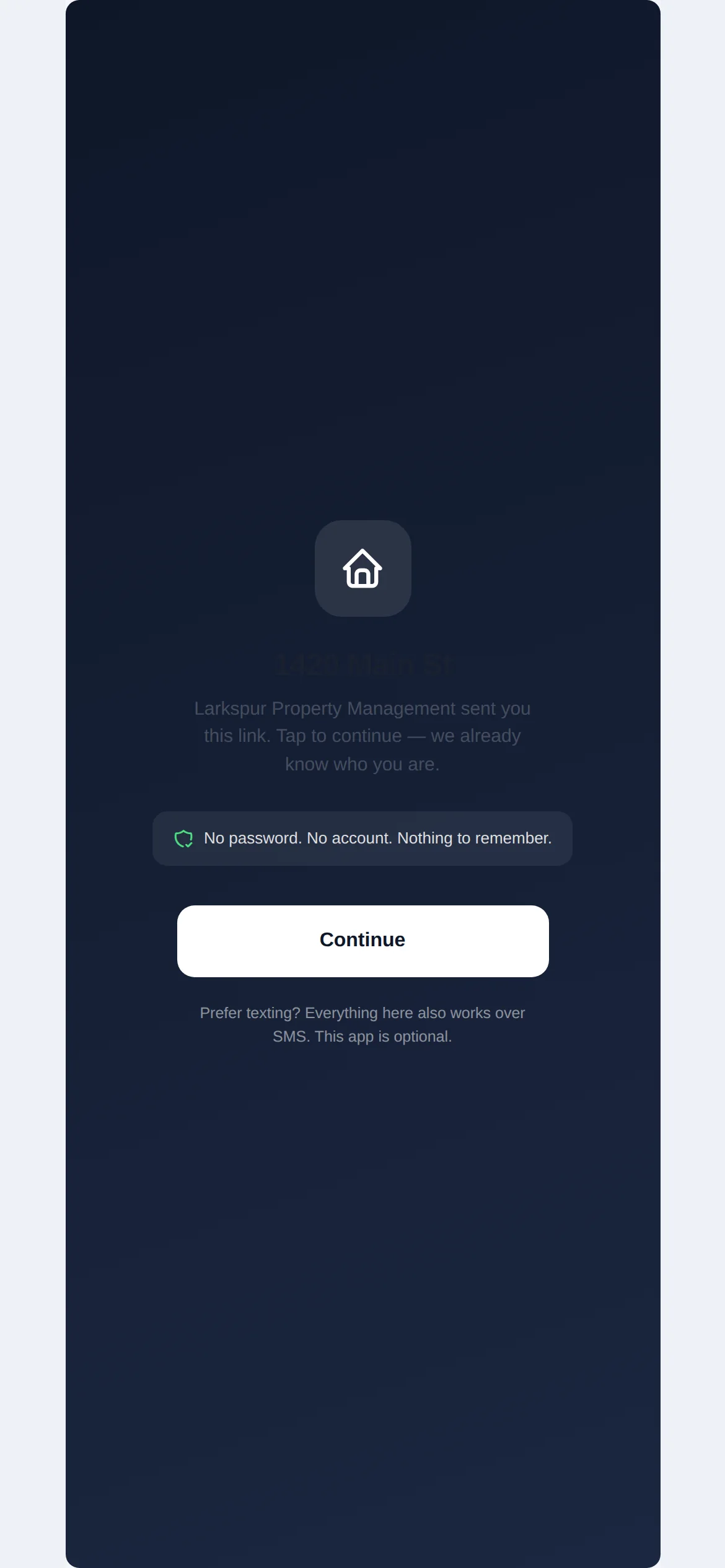
The tenant opens a magic link — no password, no app installation — snaps the water stain, and taps send.
Doorspan HomeThe classifier reads “ceiling dripping in the back bedroom,” files it as roofing, attaches your roofer, and starts the SLA clock.
MaintenanceIn this Colorado demo, a possible habitability issue starts a statutory clock and flags rent enforcement for review — in that order, on purpose.
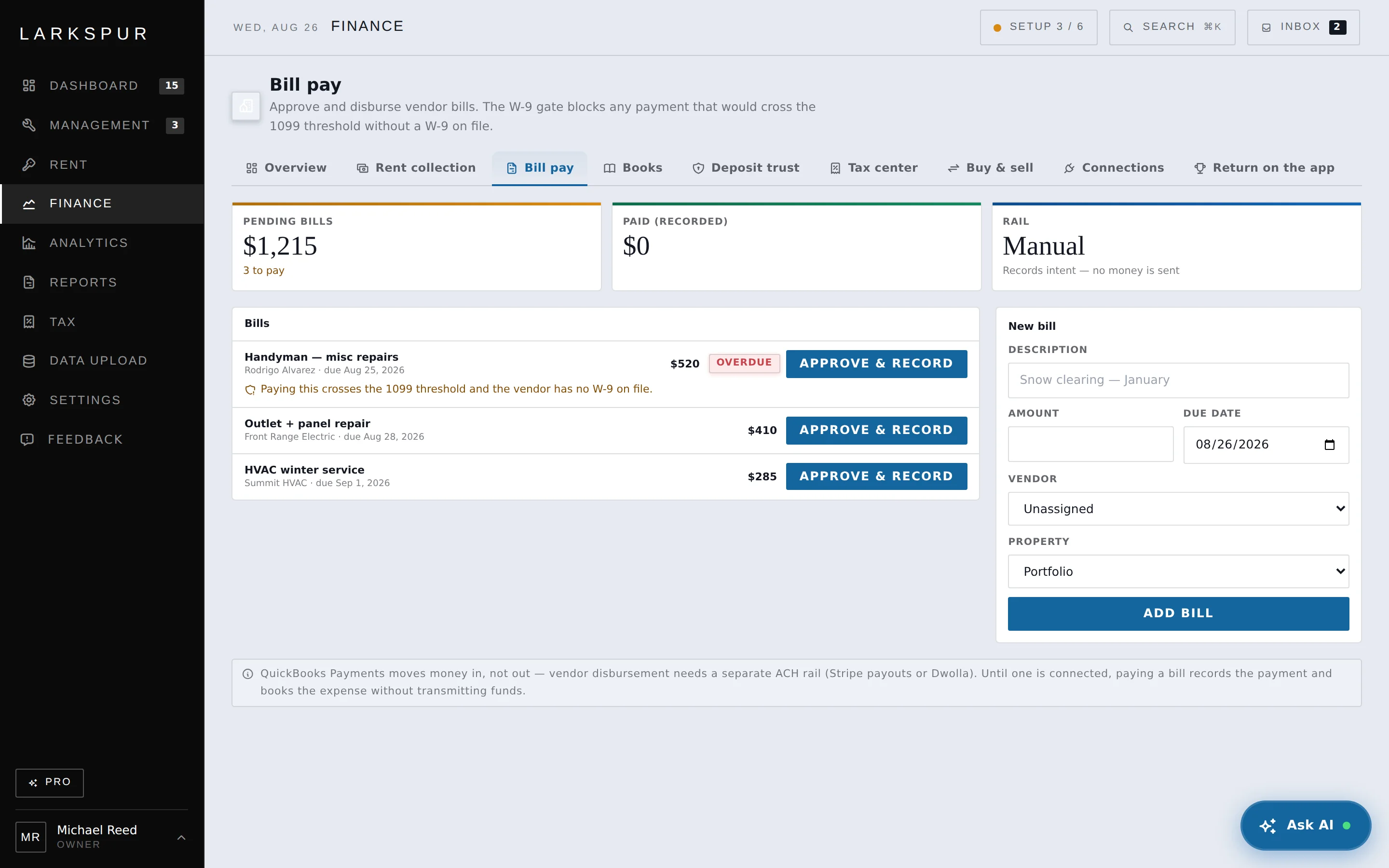
ComplianceThe roofer’s bill posts against that property. Past the 1099 threshold with no W-9 on file, payment stops until you have one.
MoneyThe repair is categorized, evidenced, and sitting in a printable tax package — because it never left the ledger it started in.
TaxNo exports. No re-keying. One record, moving through parts of your business that were never actually separate.
(Why it’s different)
Decision support, not advice — with the reasoning beside every recommendation.
It says the Diaz renewal isn’t worth chasing — and shows you the math behind walking away.
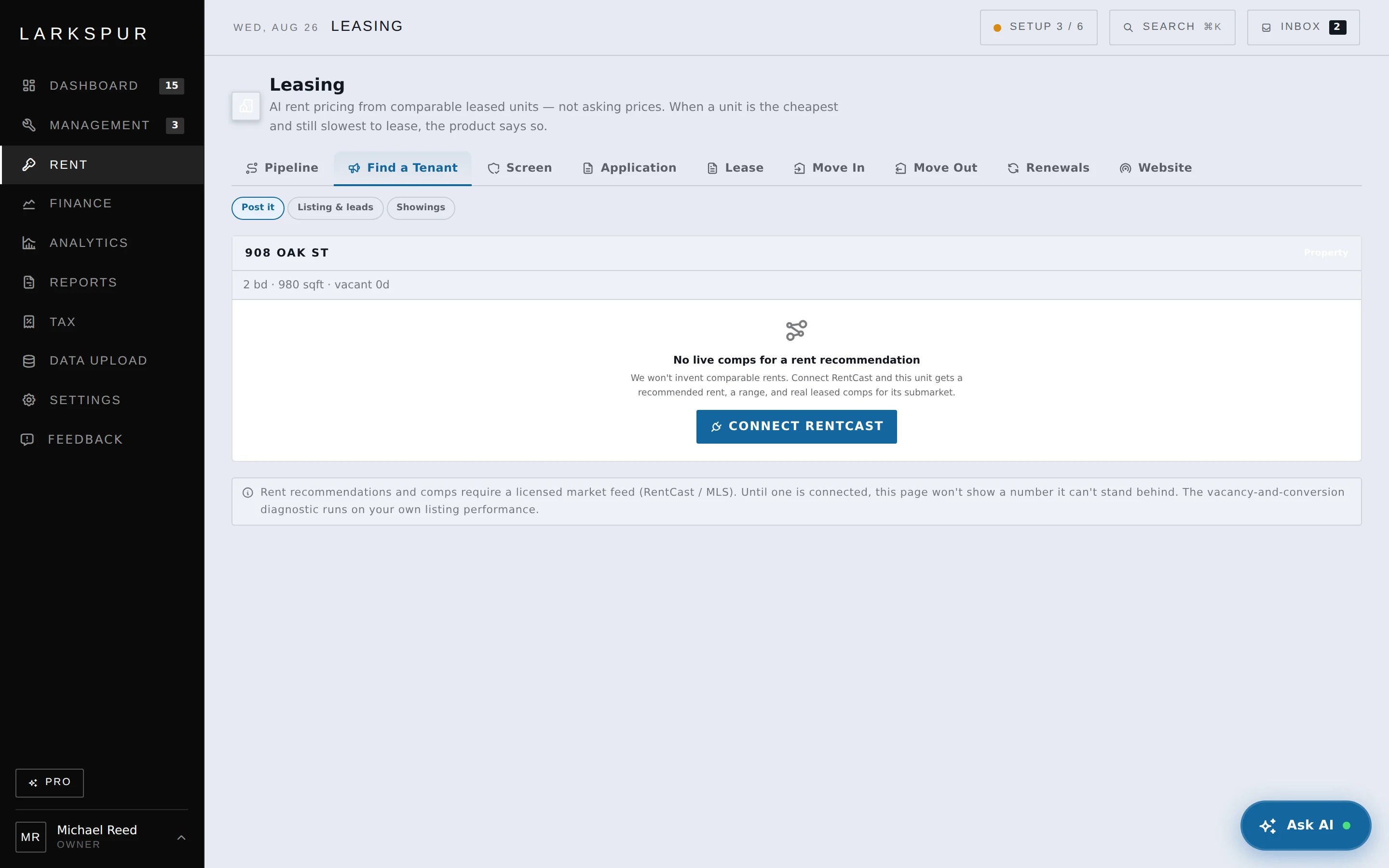
It says the listing is the problem, not the price — before you drop rent you didn’t need to drop.
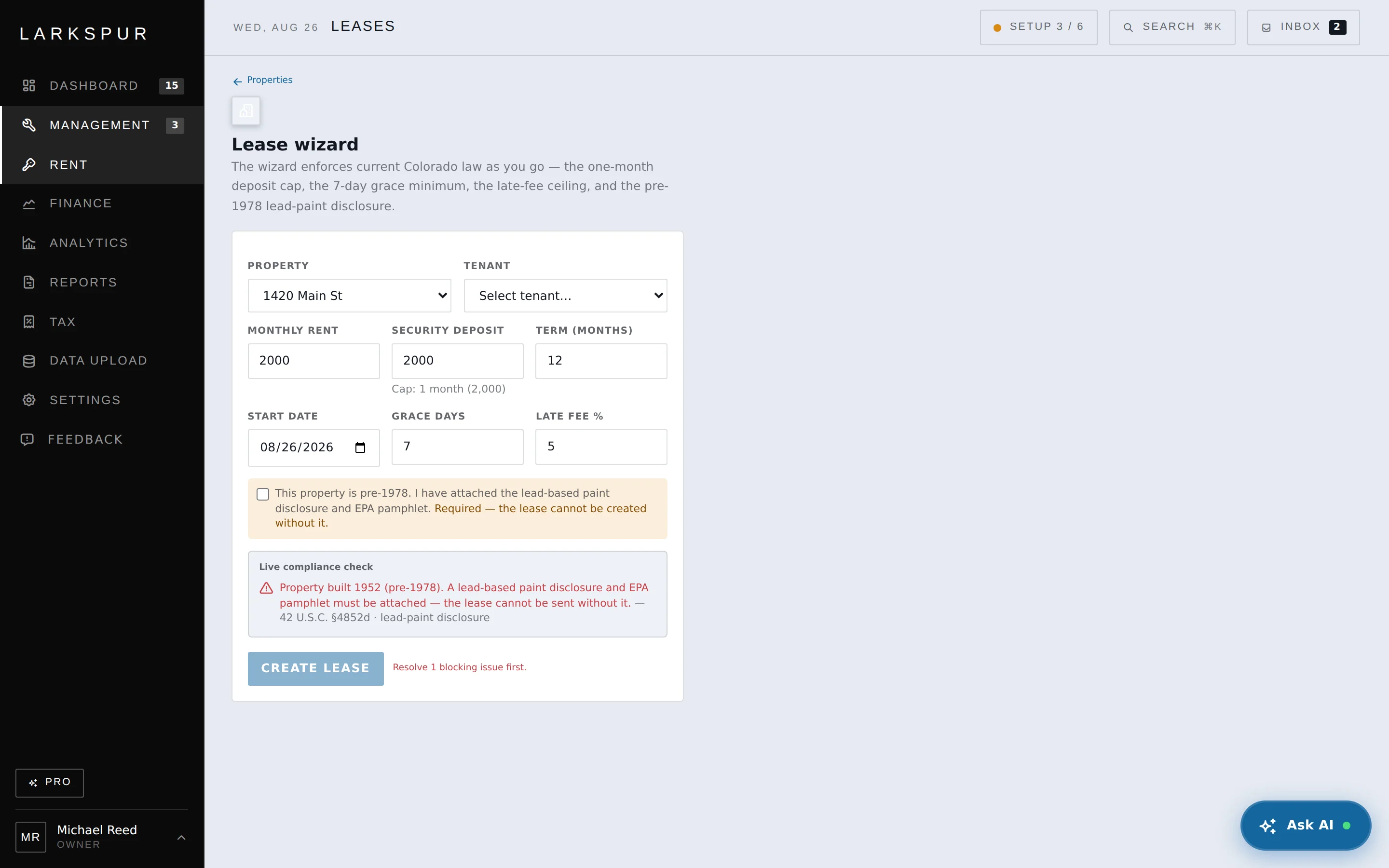
It says the lease template broke the day your state changed the deposit cap — and won’t let you send the old one.
It says “we can’t tell which property this charge belongs to” — instead of guessing and quietly corrupting your books.
(The product)
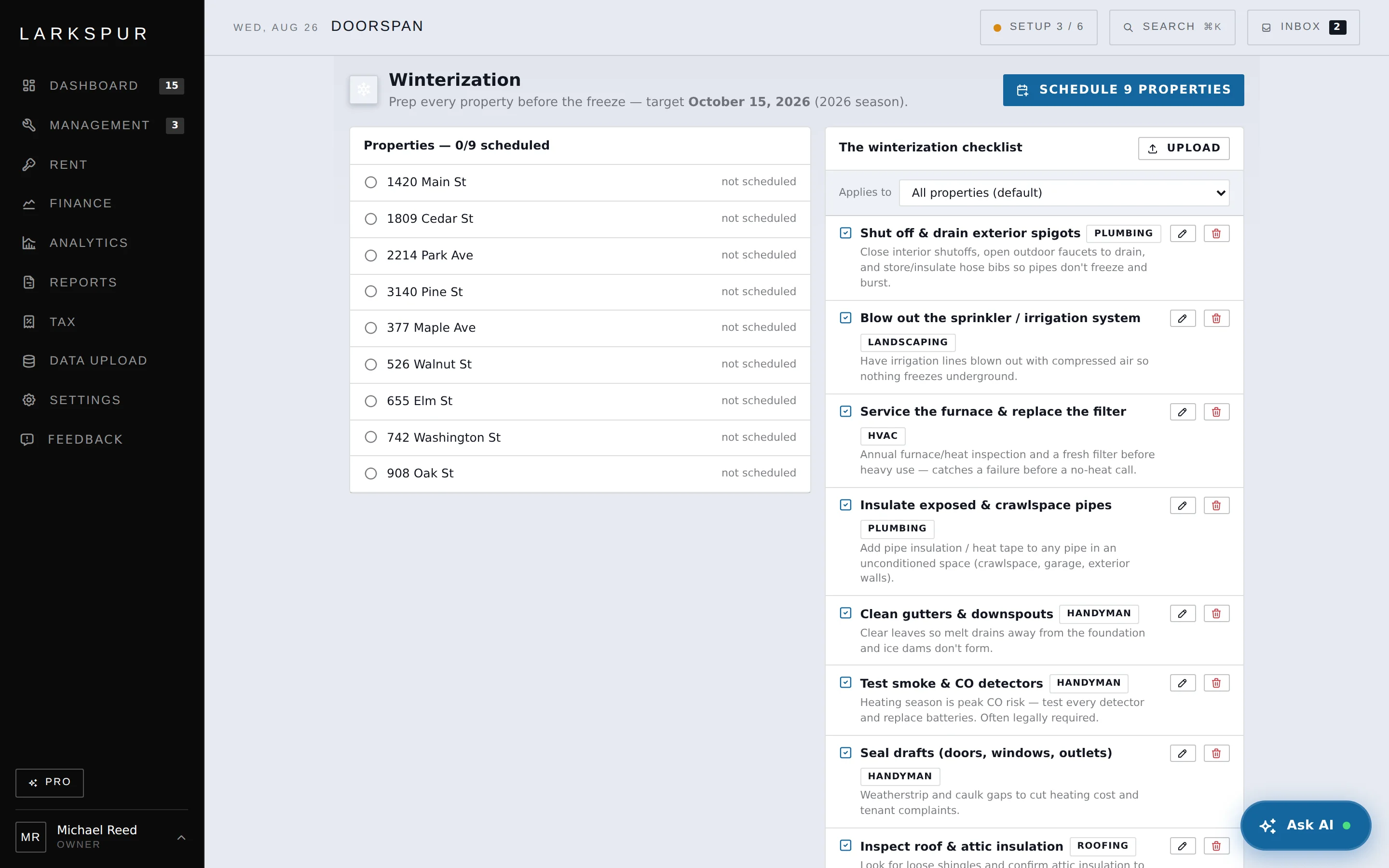
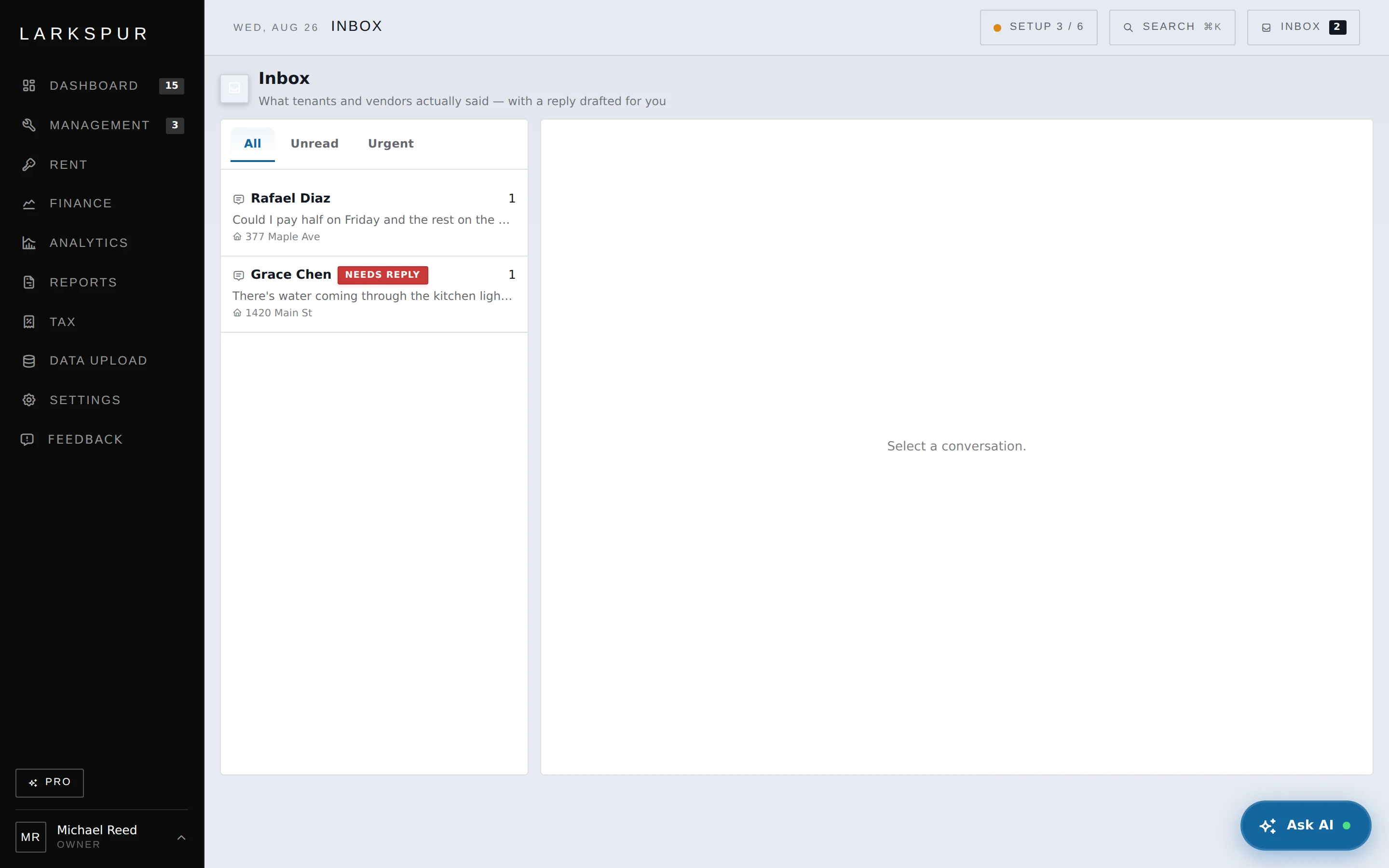
Each demo keeps the full screen visible, guides you to the relevant action, and uses a fictional seeded portfolio so you can see the workflow without exposing real tenant data.
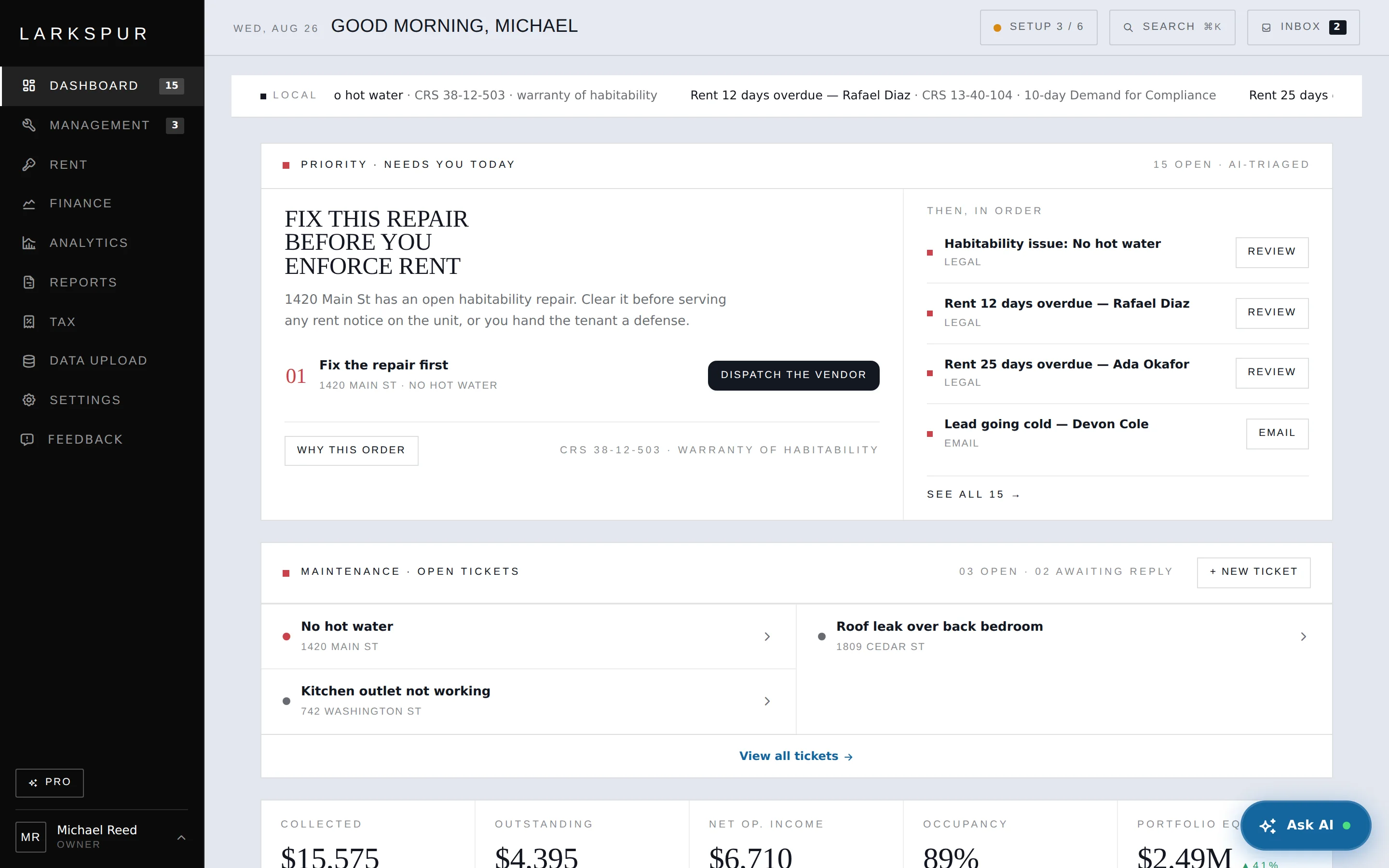
Not a list of everything — a ranking by what it costs you to get wrong. Here it holds a rent notice behind an open habitability repair, because serving that notice first hands the tenant a defense. Every item shows its reasoning, so you can overrule it.
CRS 38-12-503 · warranty of habitability

It opens on the one thing that matters most.
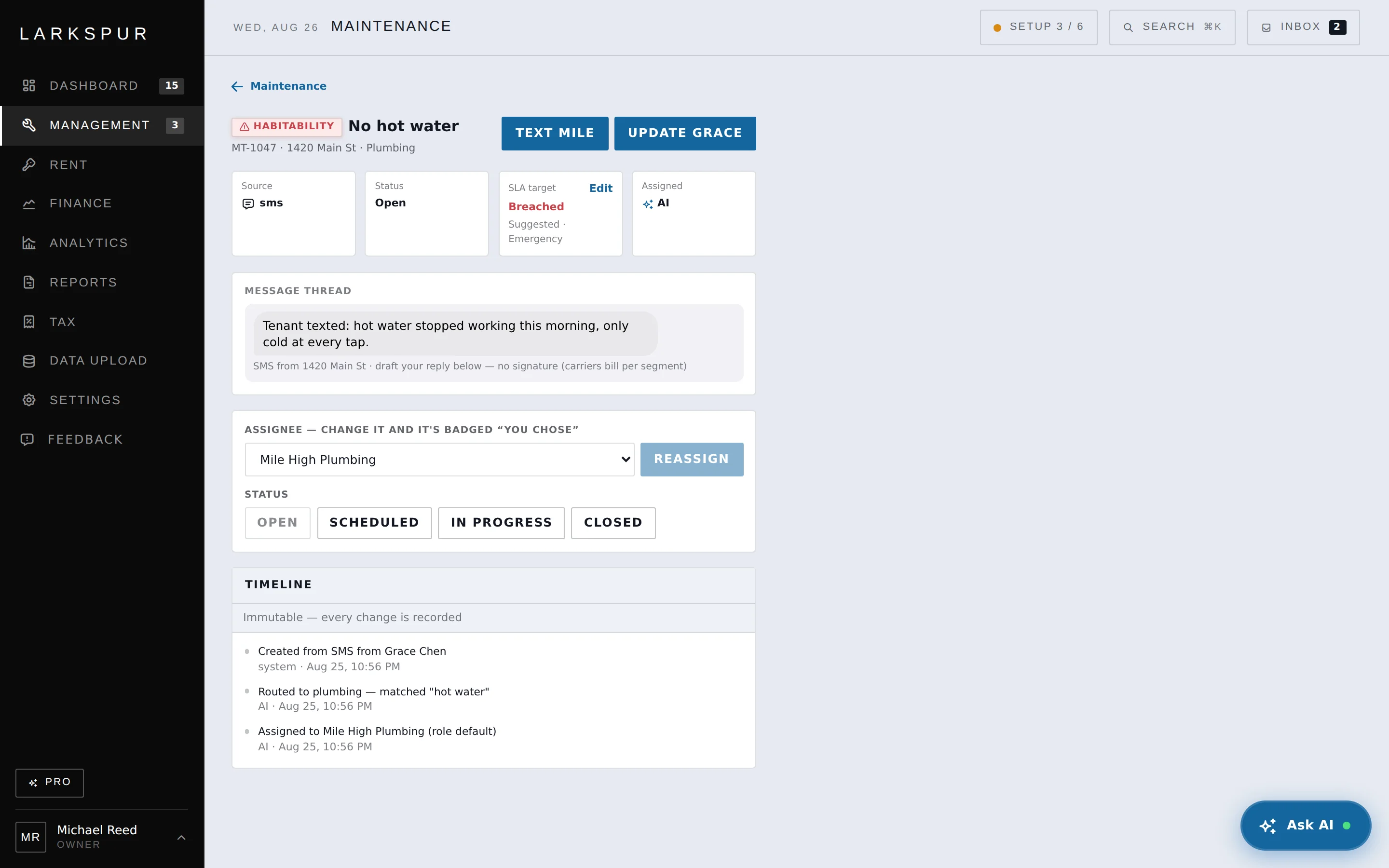
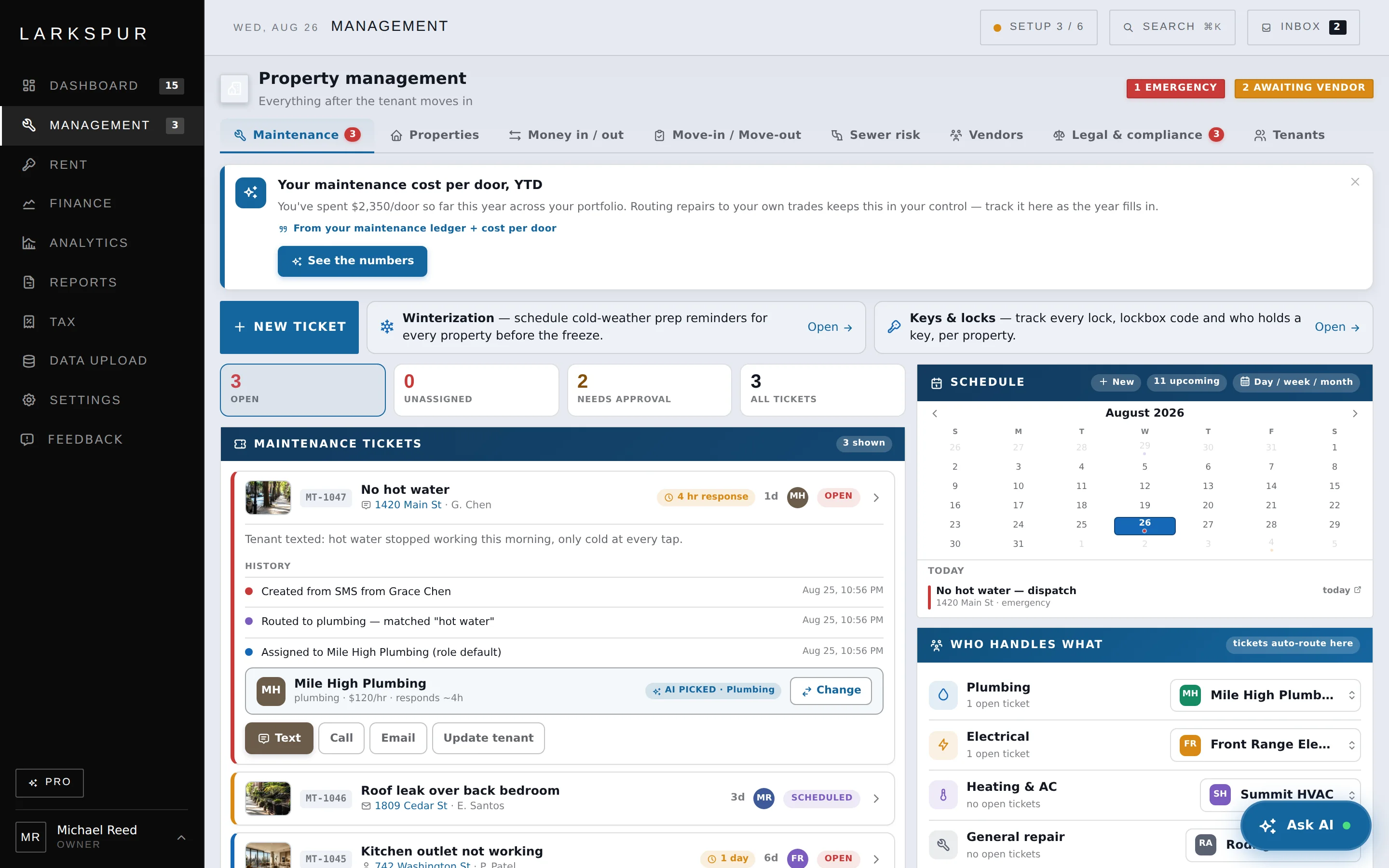
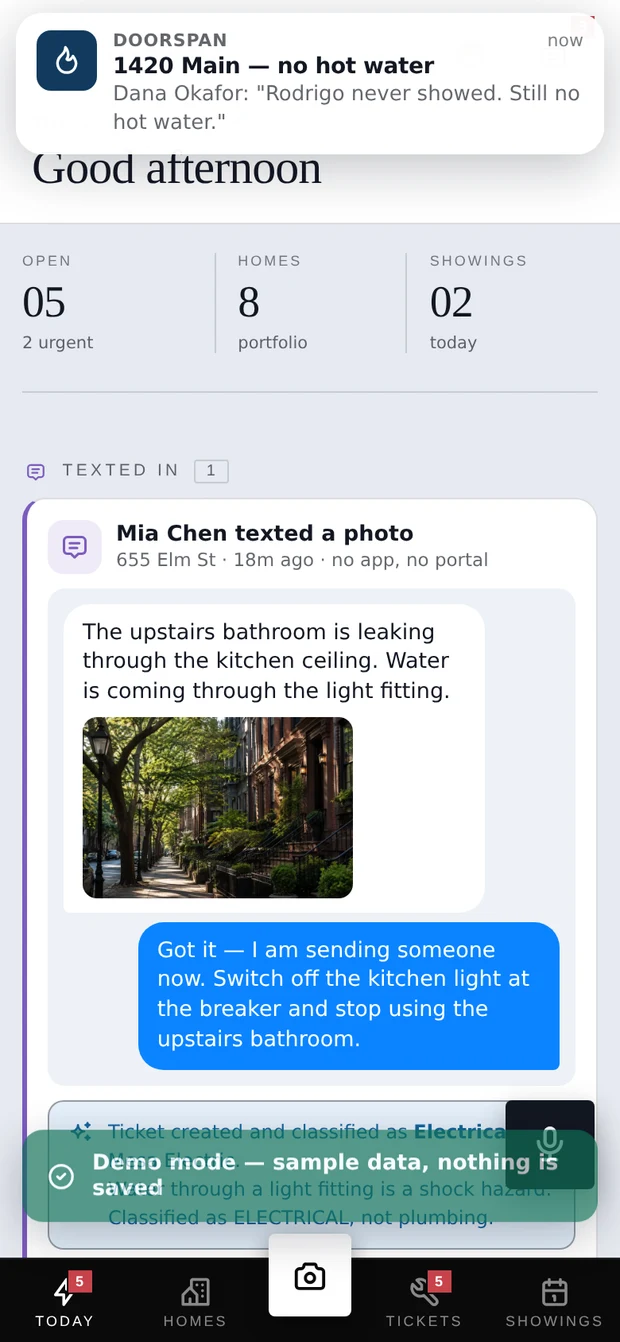
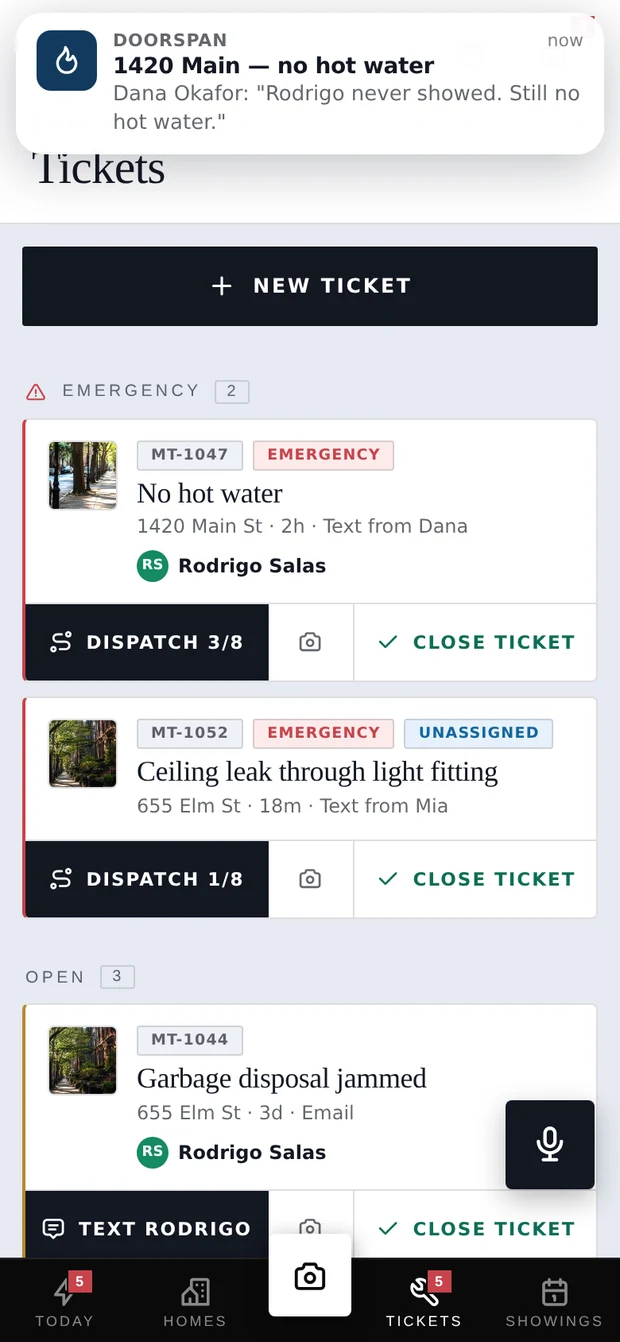
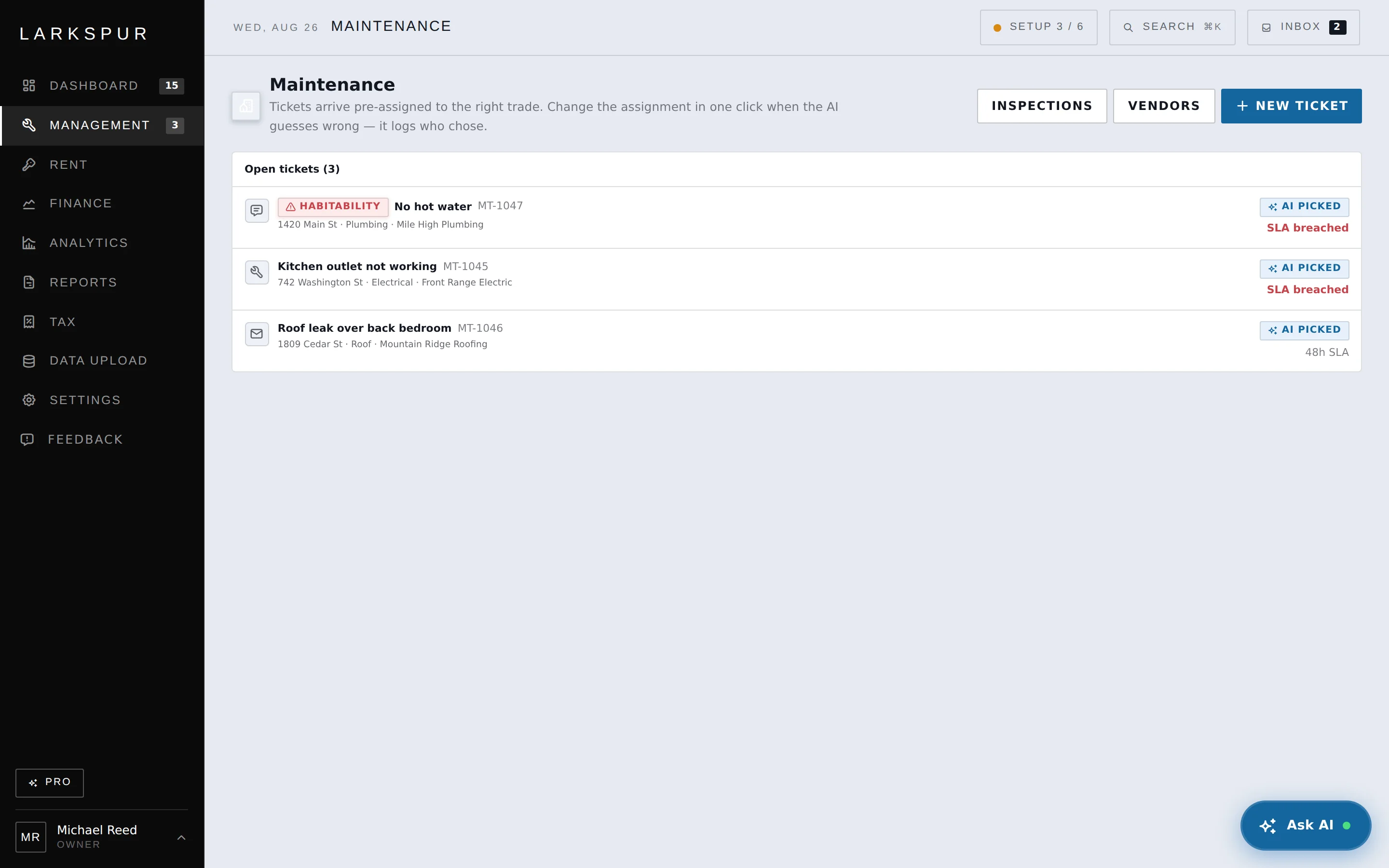
A text becomes a ticket, routed to the trade with the vendor attached and the clock started. A possible habitability issue is flagged, and a breached SLA says so in red rather than aging quietly in a queue.
Every automated route keeps its reasoning

A tenant texts a photo. However it arrives, it runs through the same classifier.
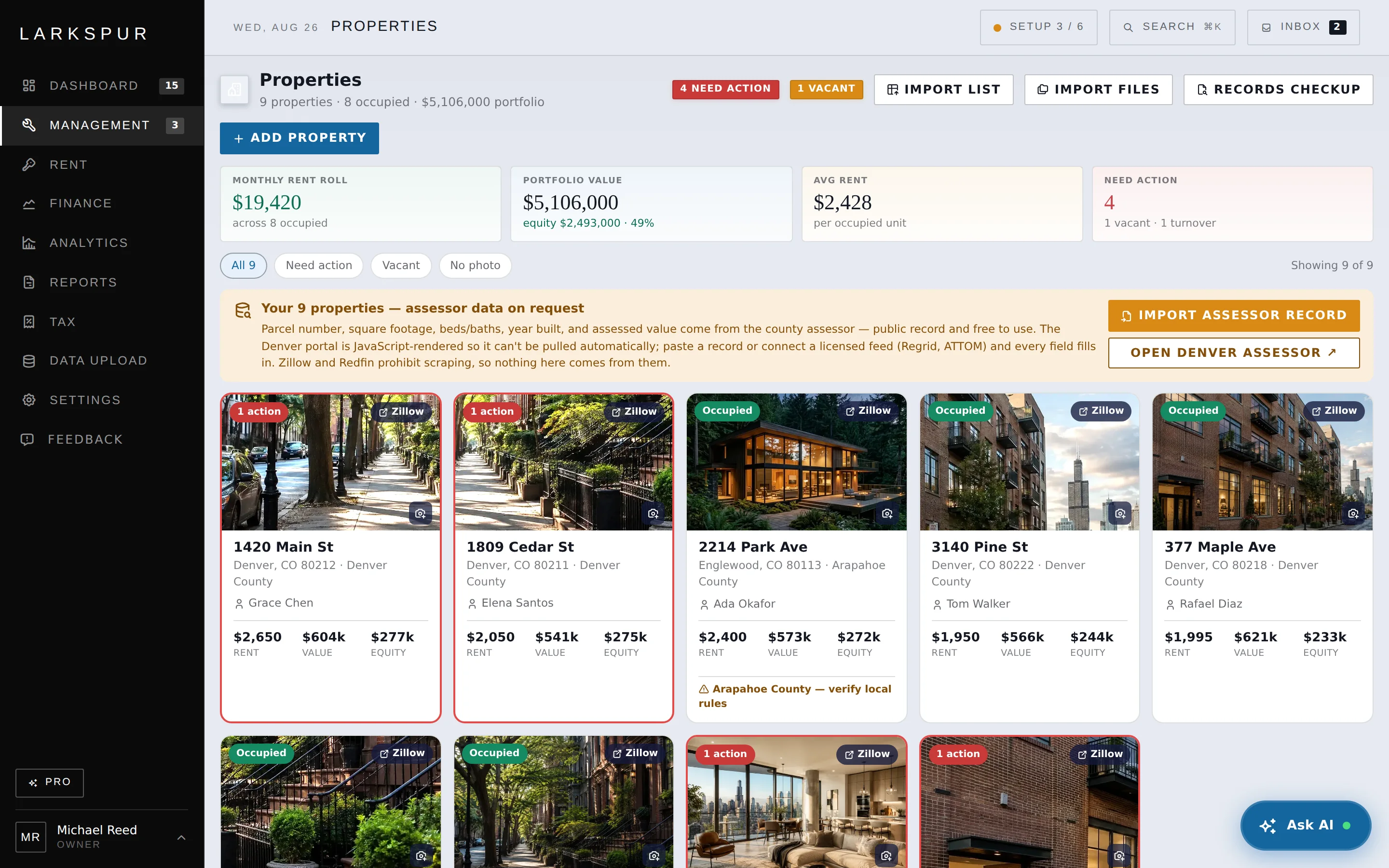
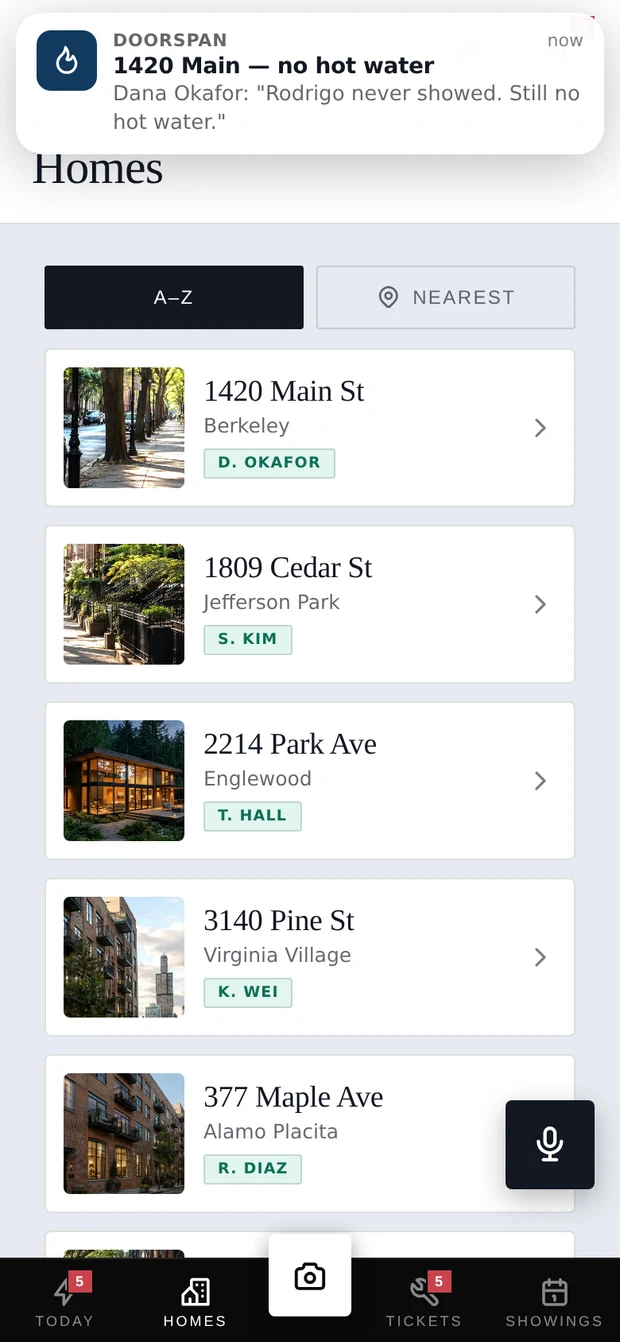
Every property with its rent, value and equity on the tile, the ones needing action flagged, and local rules surfaced where they apply. Free with no door limit and no trial clock — bring leases and payment history in as files and the importer builds the history for you to confirm.

Local rules flagged on the property they apply to

Every property with its rent, value and equity on the tile.
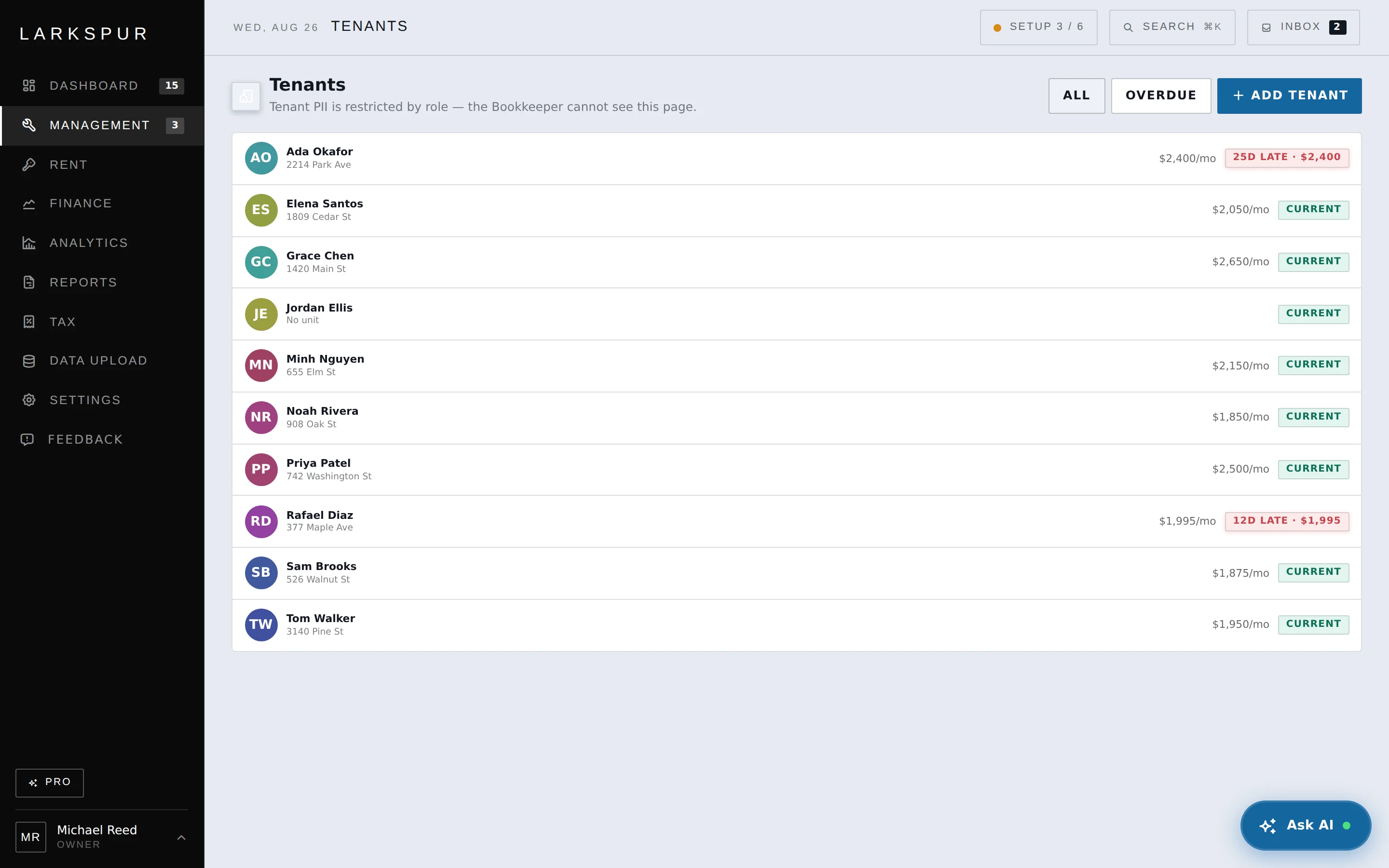
The whole roster on one line each — rent, status, and the exact age of anything overdue. In the Colorado demo, the lease wizard flags a deposit above the configured statutory cap while you type it.

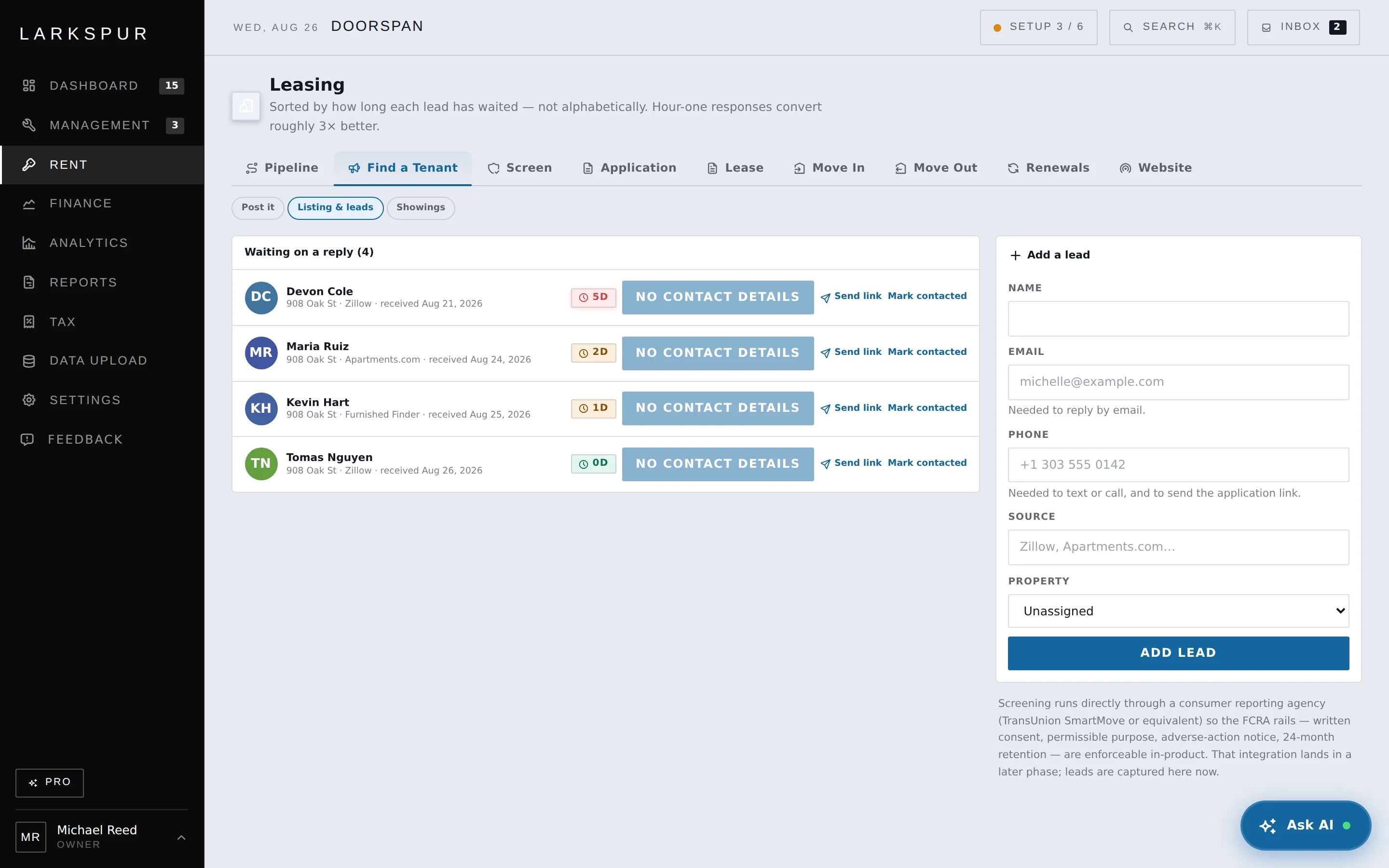
Who is current, who is late, and by exactly how much.
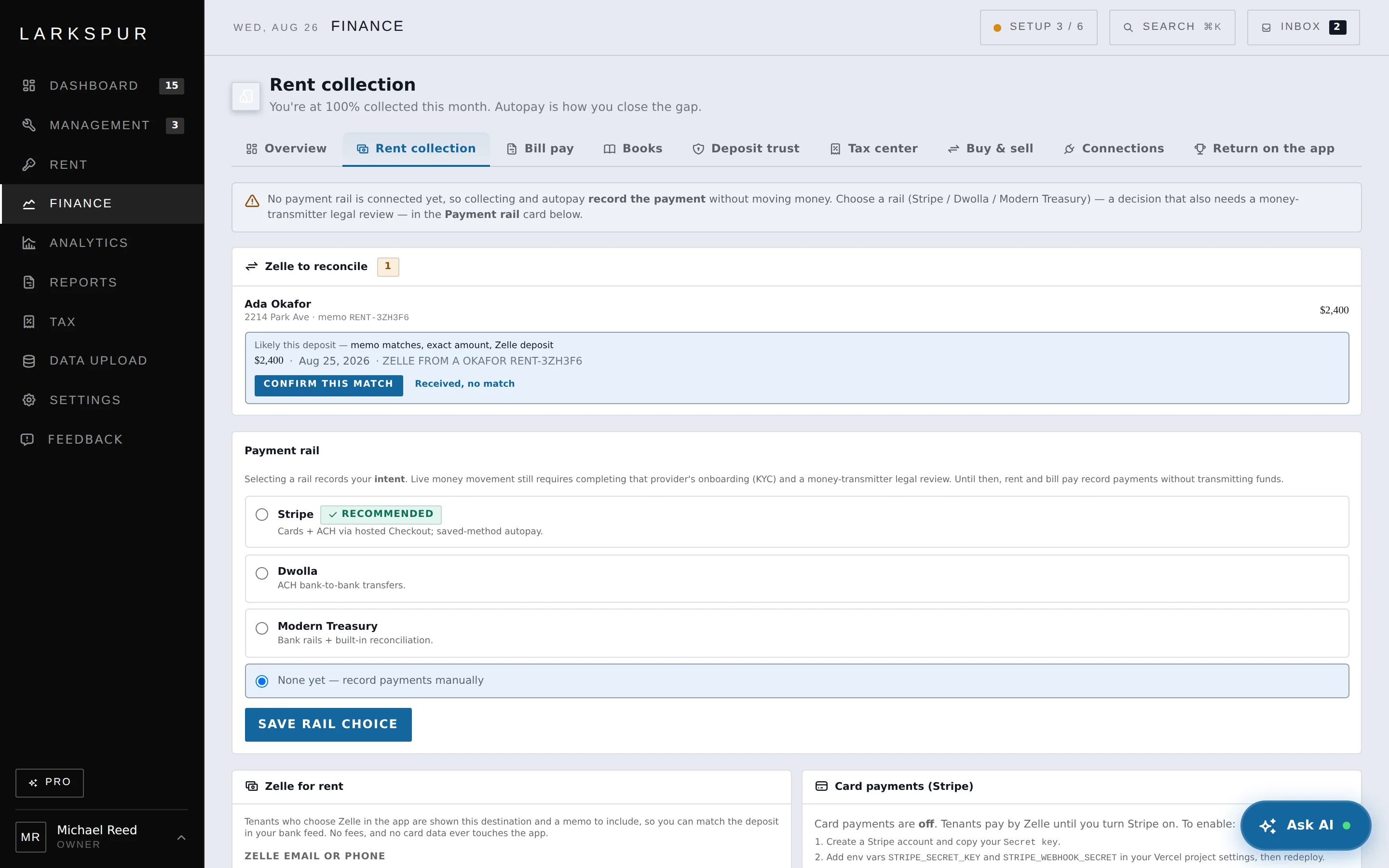
Each tenant gets a memo code. When the deposit lands in your own bank, the amount and code are matched to the tenant and offered for confirmation — the rail most property tools leave manual. ACH is free; cards cost 2.9%.
“Memo matches, exact amount” — you still click confirm

Zelle has no API. The memo code reconciles it anyway.
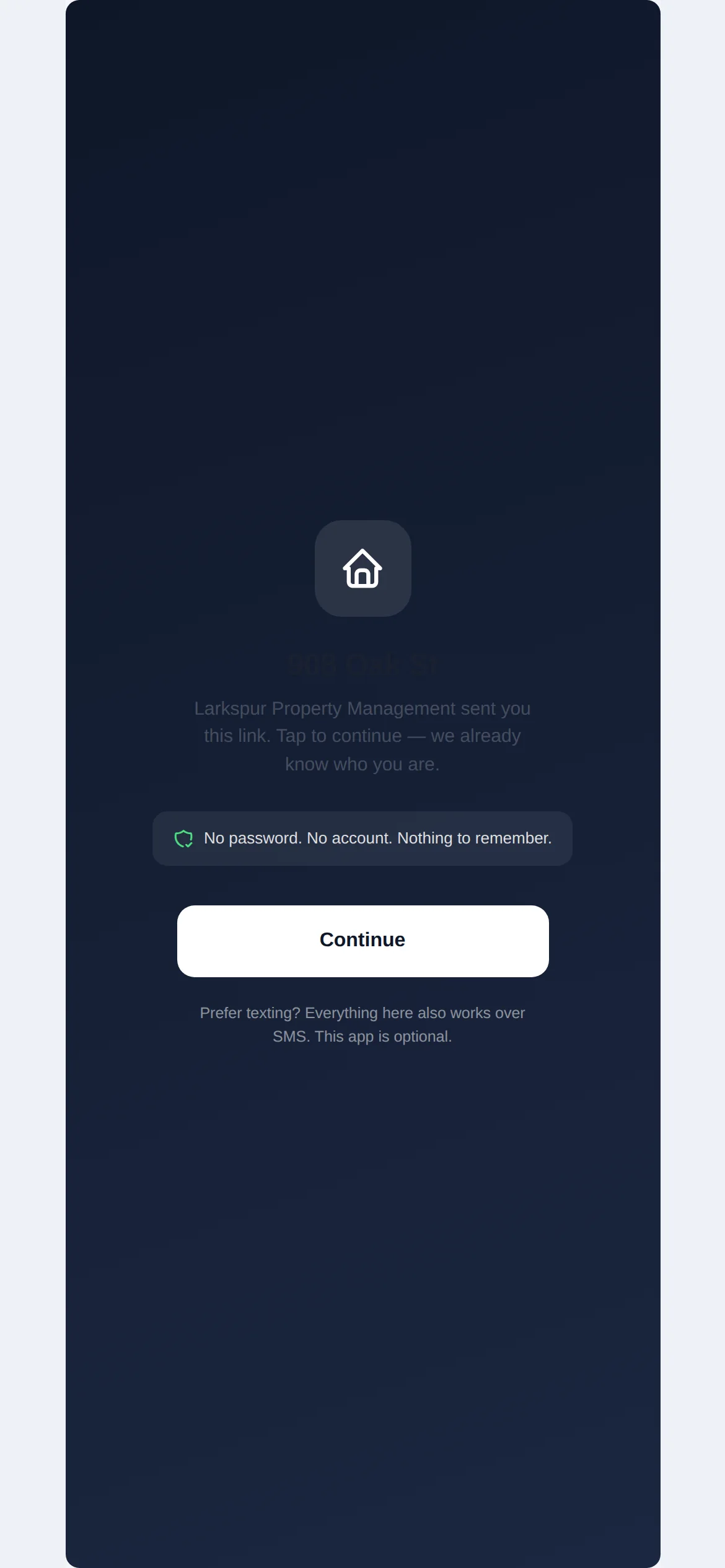
You text a secure link and it opens. Tenants can pay rent, report a problem with a photo, and message you without stopping at a signup wall.

No password or app installation.
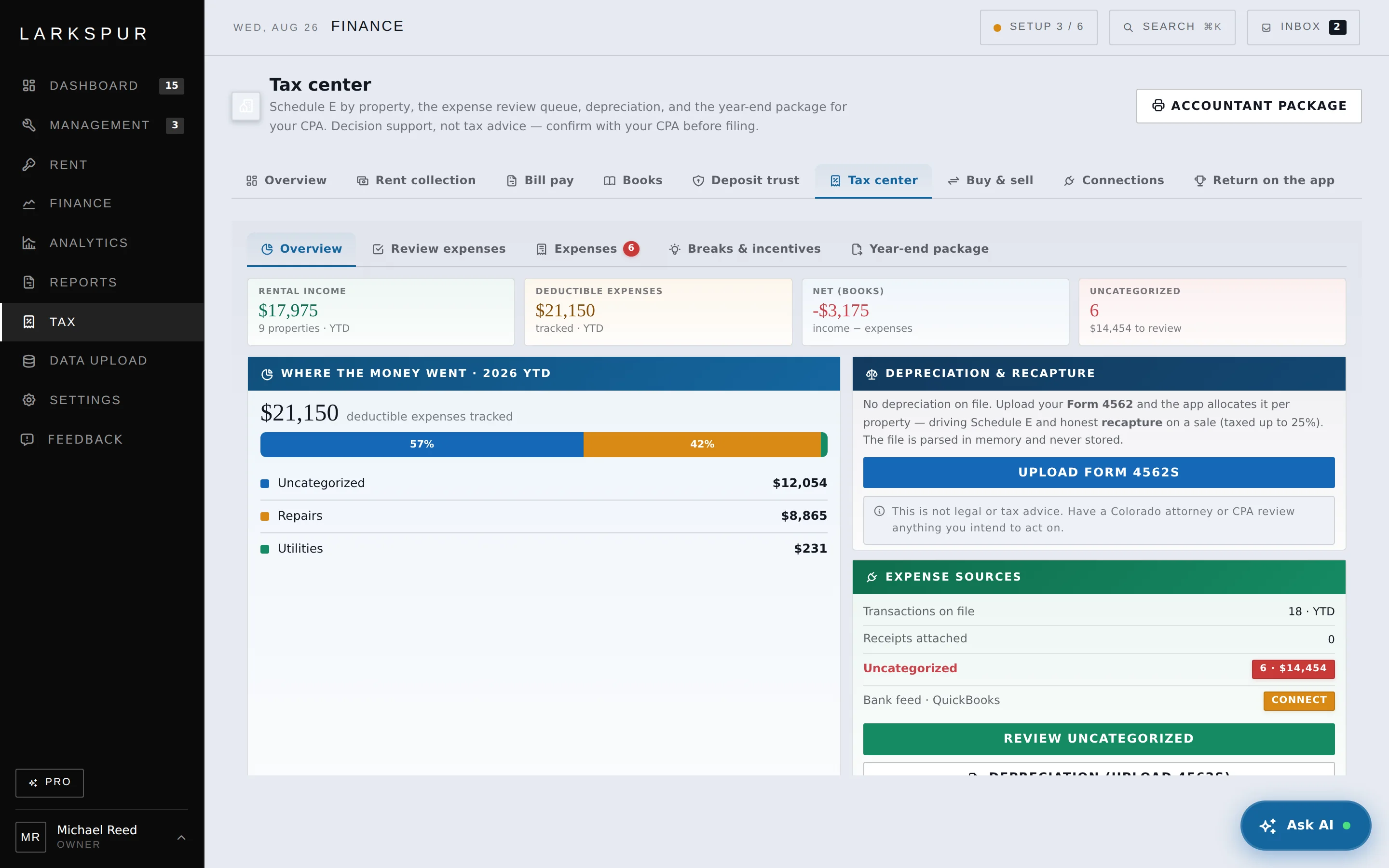
Doorspan flags the $2,500 de minimis safe-harbor threshold and sends ambiguous items for human review. Final tax treatment depends on your election and the underlying facts.
Tax decision support — confirm treatment with your accountant

It flags the safe-harbor threshold and sends ambiguous tax treatment for review.
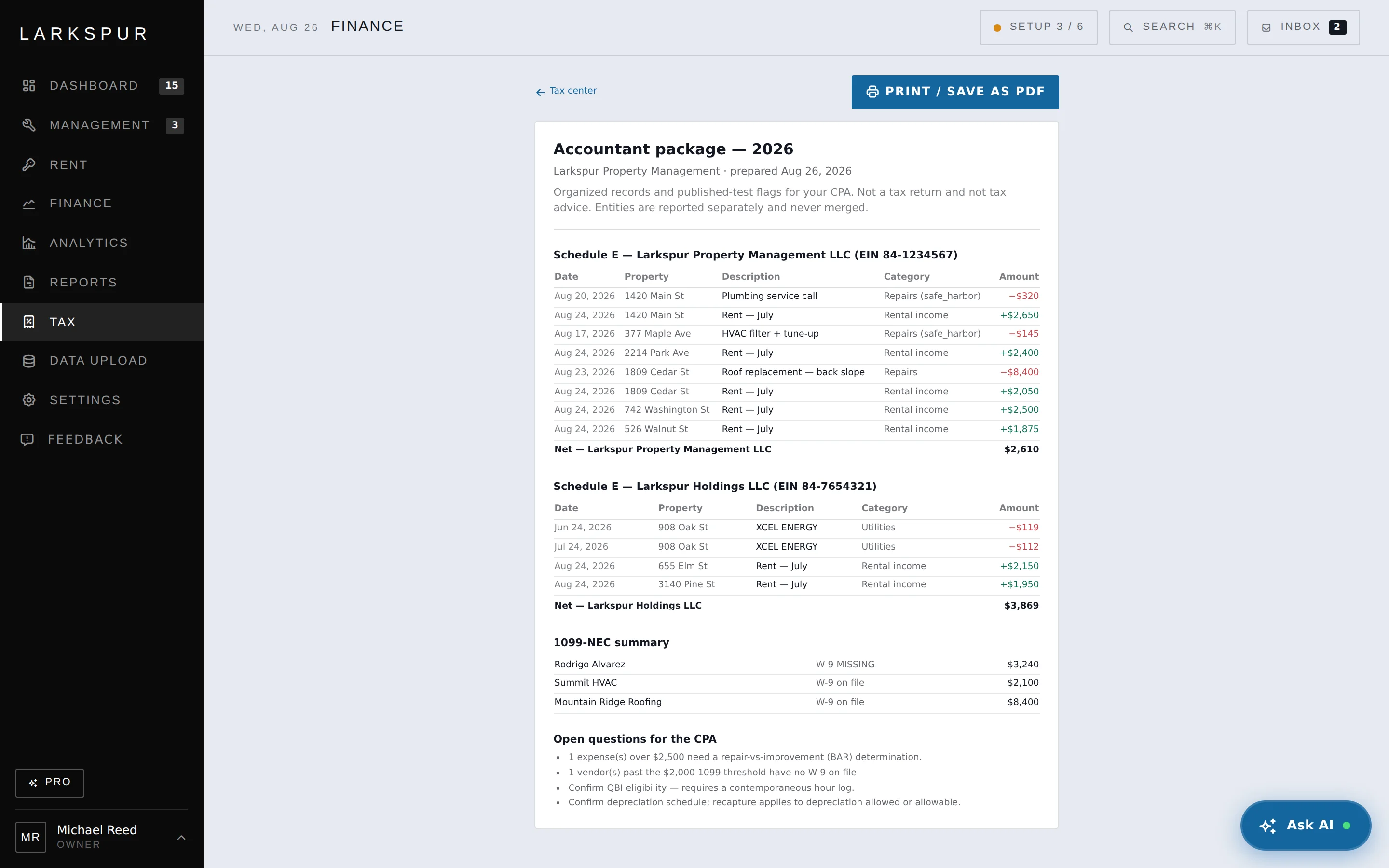
Income, expenses and annualized rent for each LLC separately, from the ledger the work already lived in. Hand it to your CPA in April instead of rebuilding the year from bank statements.
Entities are never merged on export

Schedule E per entity, never merged — with the open questions for your CPA.
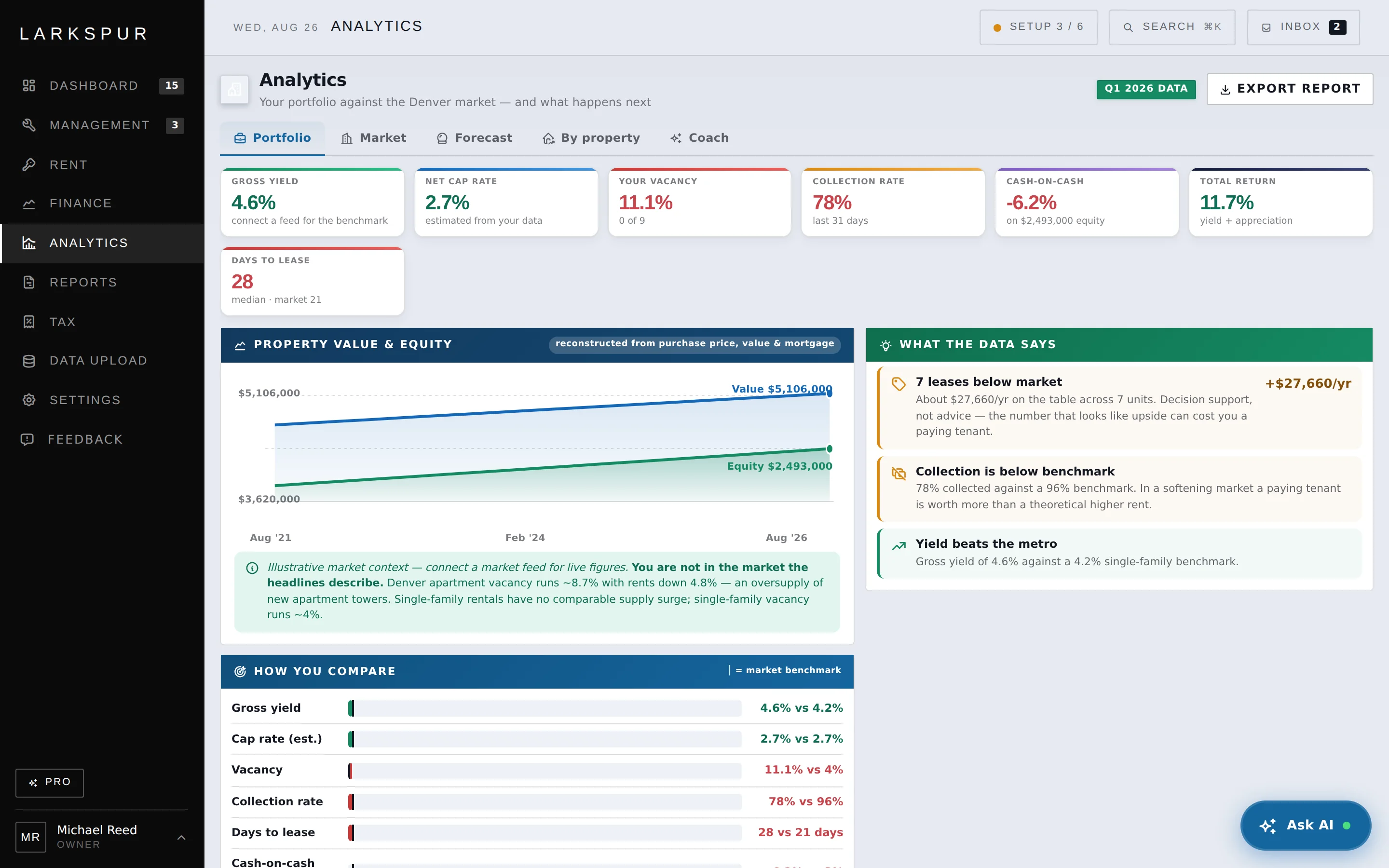
Gross yield, cap rate, vacancy, collection rate, days to lease and cash-on-cash, each against your own metro’s benchmark. Green where you are ahead, red where you are not — no dashboard flattery.

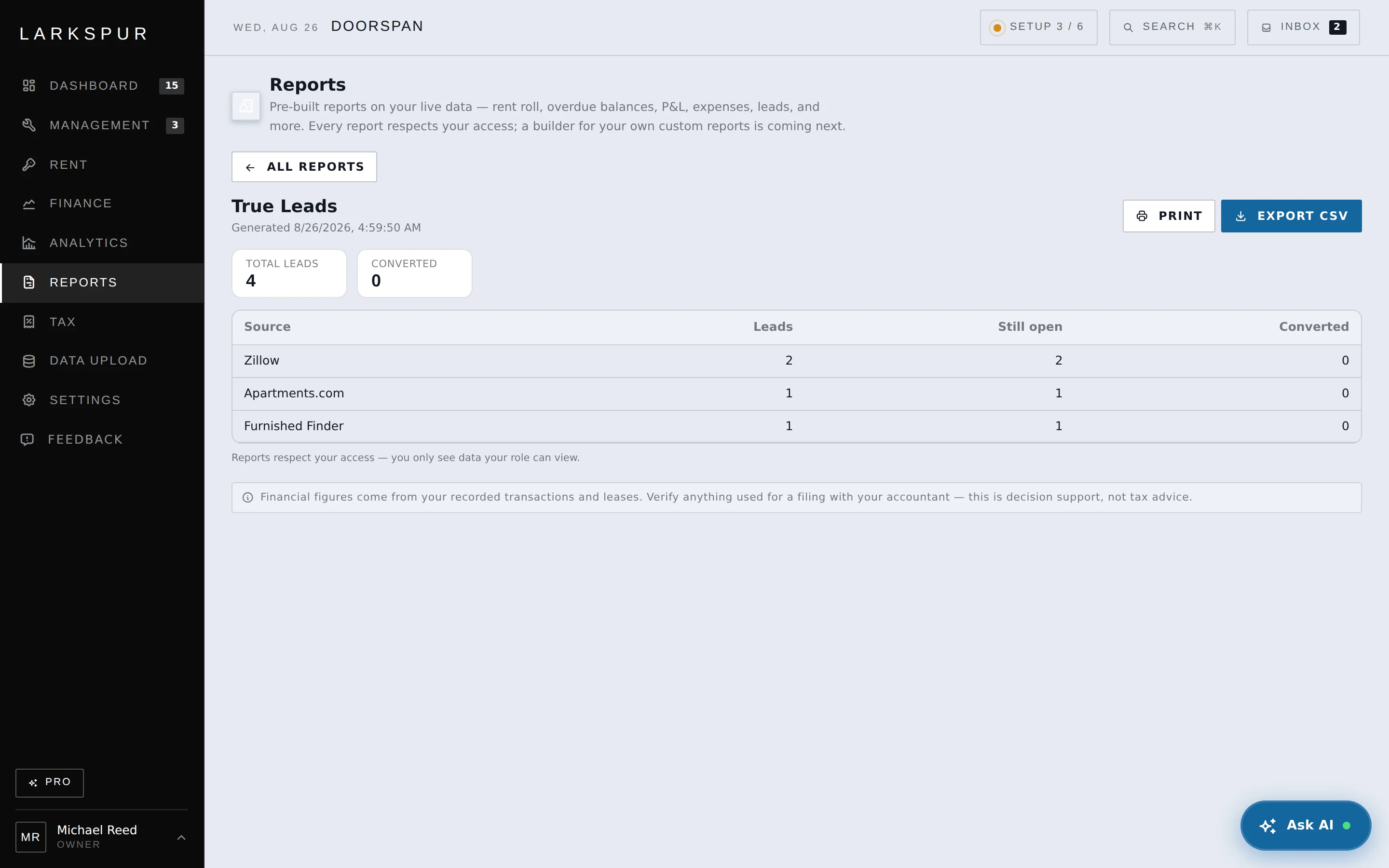
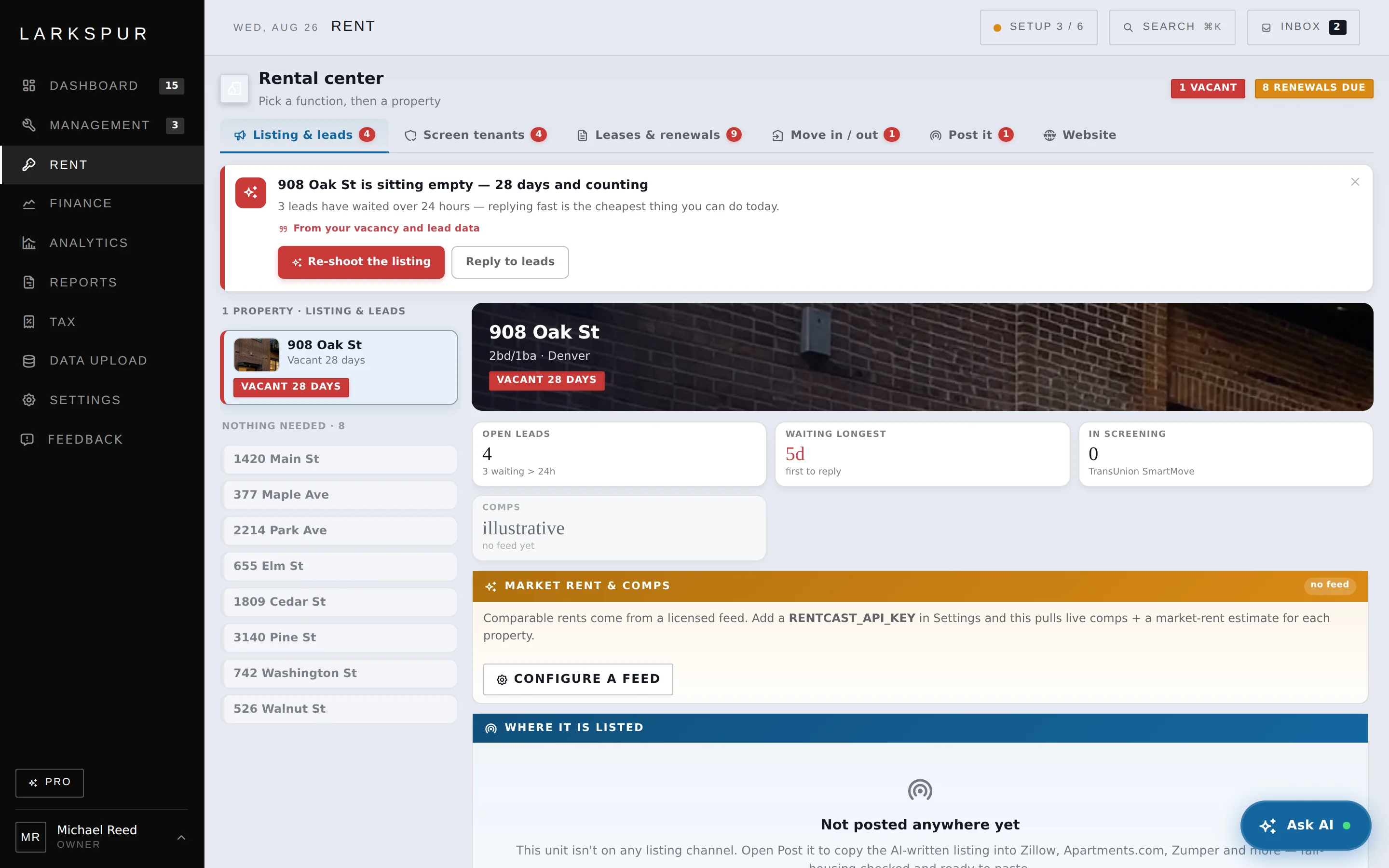
The whole funnel in one place — priced, listed, leads, screening, lease.
It finds $27,660 a year of under-market rent across seven units — and in the same breath warns that raising rent can cost you a paying tenant in a softening market. It surfaces the number and the risk together, and leaves the call to you.
Decision support, not advice

Your portfolio against the market you are actually in.
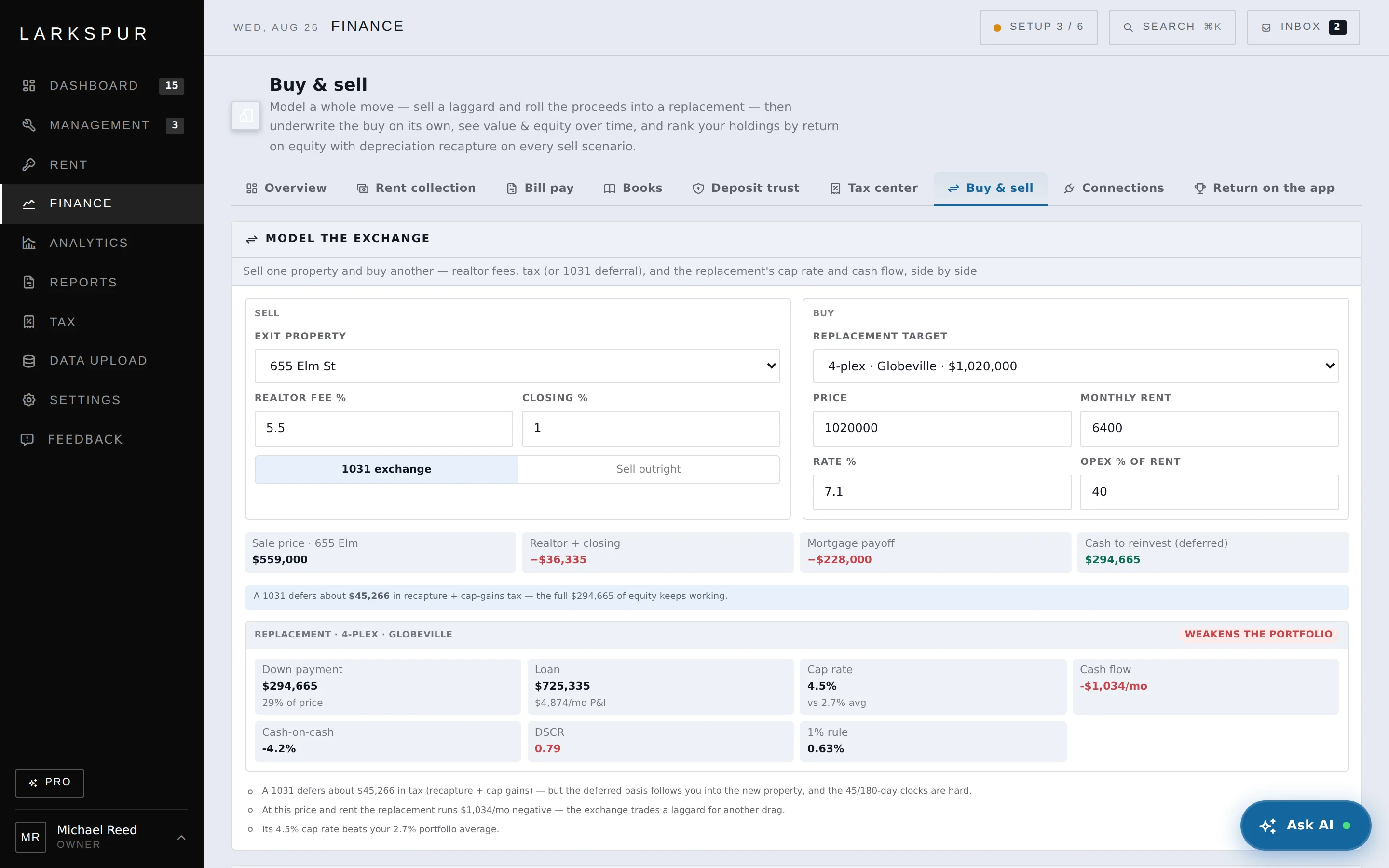
Cap rate, cash-on-cash, DSCR and the 1% rule, benchmarked against the portfolio you already own — because that is the real alternative. Here the cap rate beats yours and the verdict is still Pass, because the cash flow is negative and the DSCR is below what a lender will take.
“Pass · −$396/mo · DSCR 0.85 is below 1.0”

Model the whole move — sell a laggard, roll the proceeds, underwrite the buy.
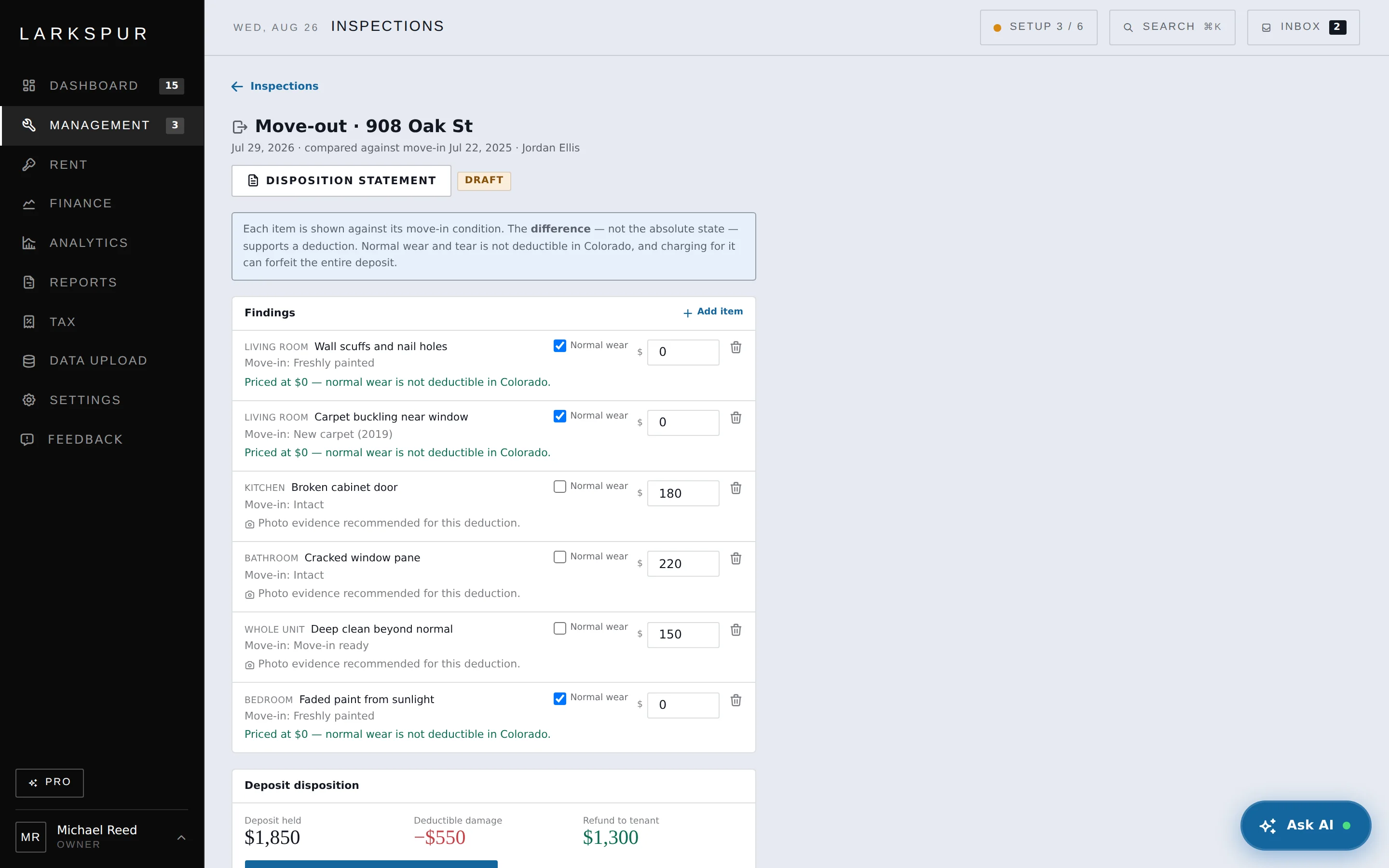
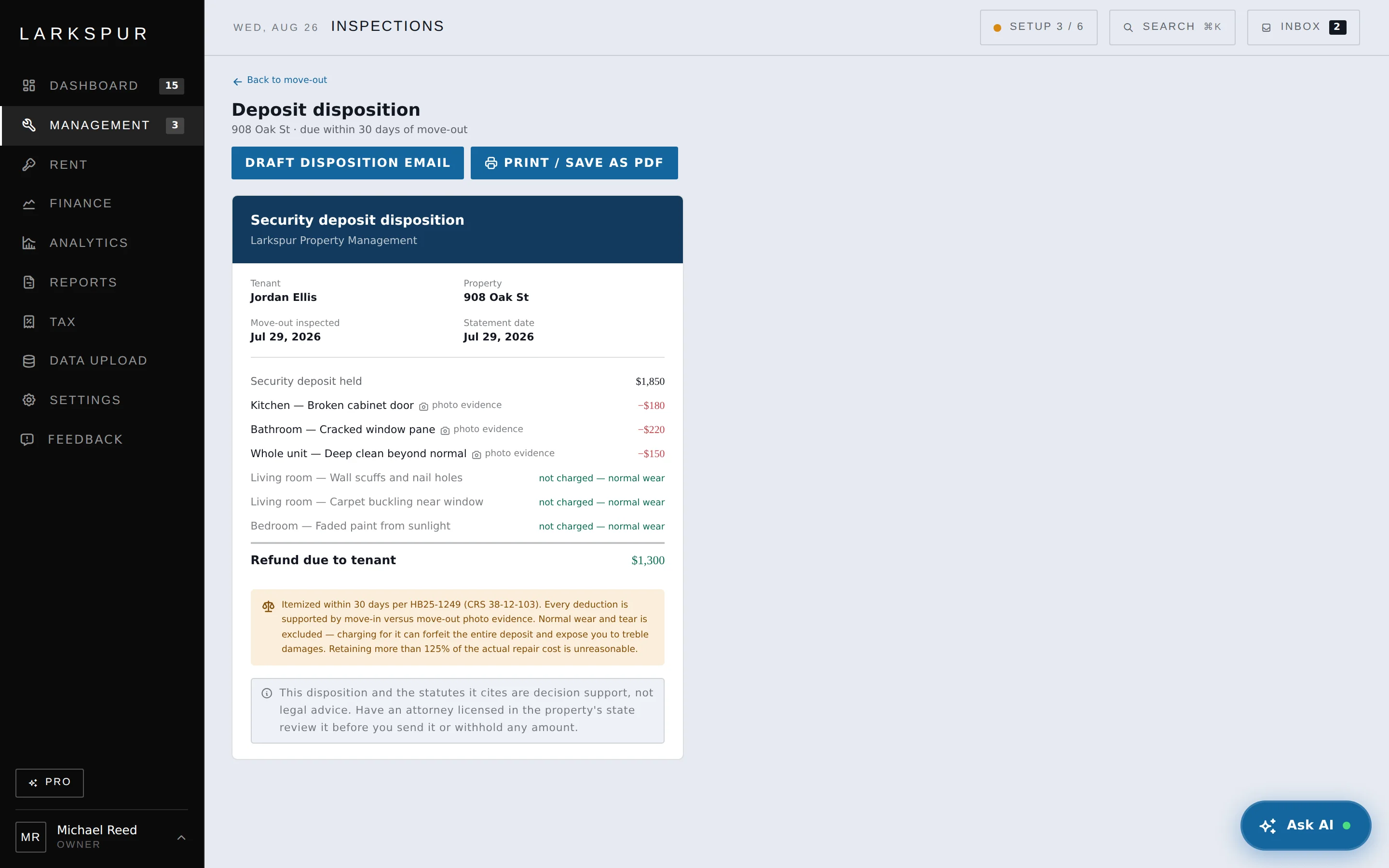
Deductions cite the photograph that justifies them, normal wear is excluded on the record, and the refund is arithmetic anyone can check. This is the document you want to already exist on the day a deposit is disputed — not the one you assemble afterwards.
Itemized within 30 days per HB25-1249 (CRS 38-12-103)

Move-out compared against move-in — the difference, not the state.

(Doorspan Onsite)
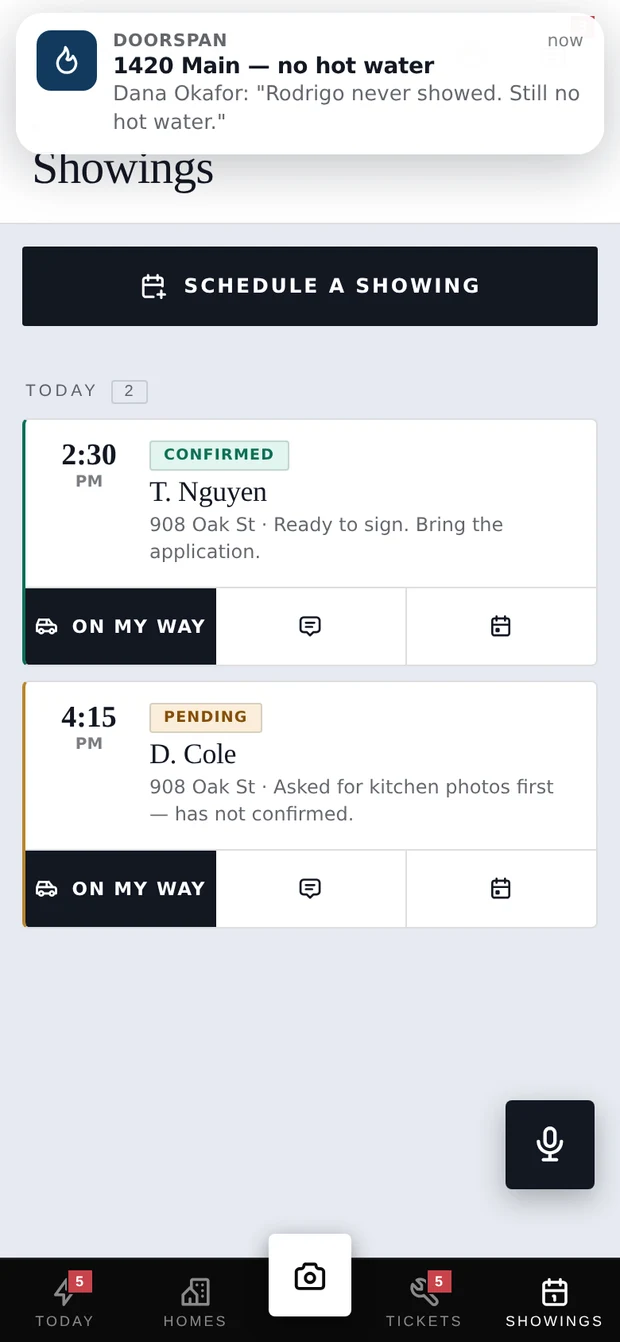
The same records, in the driveway. Installs to the home screen, tolerates no signal, and does the four things that actually happen away from the desk.


The whole system of record. Rent, maintenance, the compliance spine, the money ledger, the tax package, Doorspan Home for tenants — everything, at the desk.
Beta link issued on requestThe 11 PM version. Photograph damage, triage a ticket, check a balance and message a tenant from the property. It is offline-tolerant and installs to the home screen.
Beta link issued on request(Try it) Colorado demo · live arithmetic
Toggle any line. In this Colorado demo, ordinary wear is excluded from the deduction, so the refund moves as you decide. The itemized statement is evidenced and drafted for you to review before anything is sent.
Colorado demo · itemized draft · never sent until a human clicks.
(Pricing)
The Free plan has no door limit, feature clock or card requirement. Pro adds decision support for law, tax, AI and market, checked against your own data.
Everything you need to run your doors.
Decision support for law, tax, AI and market.
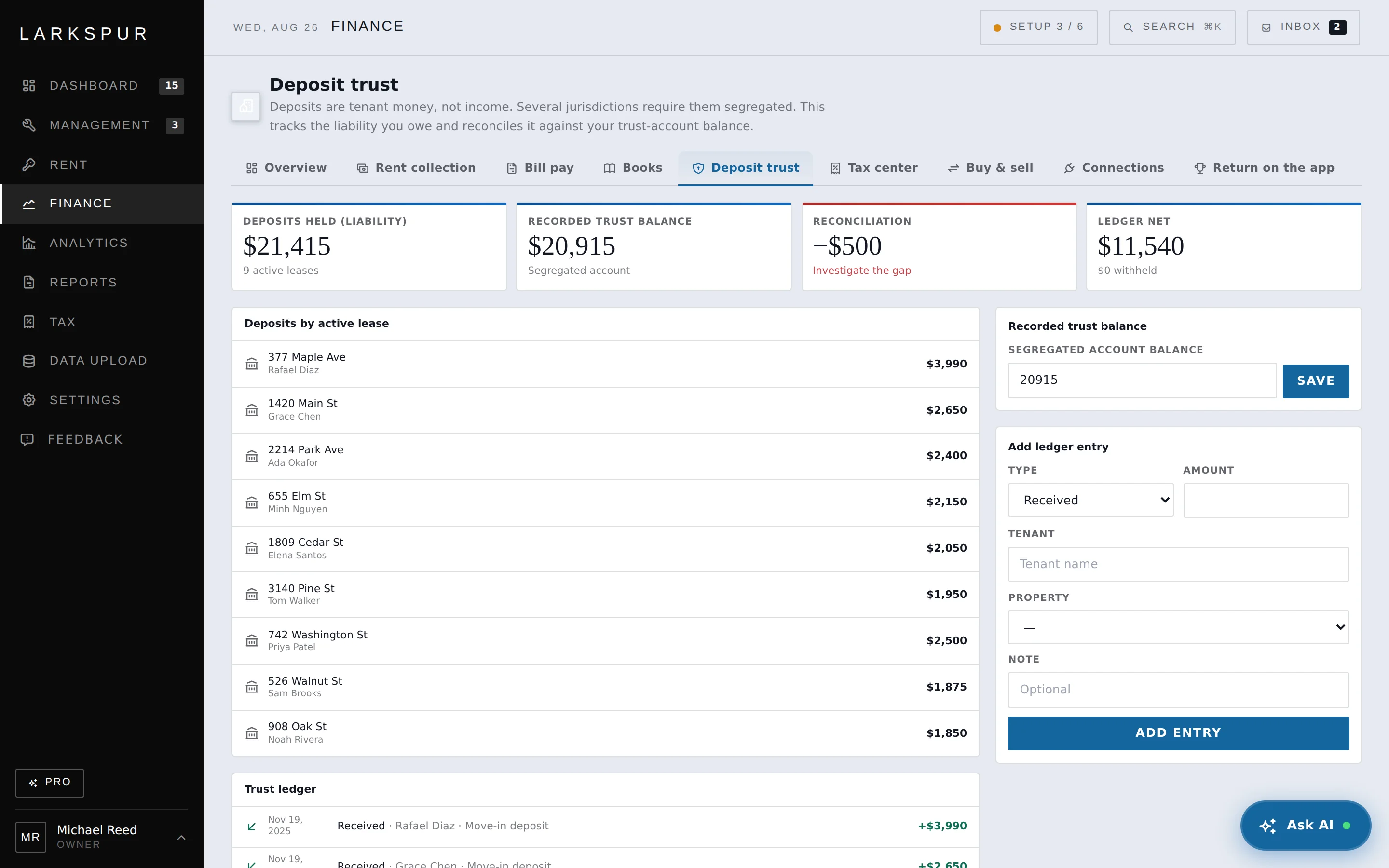
One missed deposit deadline can cost more than a year of Pro on the whole portfolio. That is the entire argument for paying.
(Who it’s for)
The spreadsheet stopped scaling, but enterprise suites assume a staffed management company. Doorspan is built for the owner-operator who is also the leasing agent, the bookkeeper, and the person who gets the 11 PM “no heat” text.

(Wherever your doors are)
Landlord law is local. Every property carries the jurisdiction it sits in, and the compliance spine reads against that one — not a national average, which would be right nowhere in particular.
(Built to be trusted with the sensitive stuff)
Owner, ops and bookkeeper roles see only the records their permissions allow. Authorization is enforced server-side, not merely hidden in the interface.
Access tokens and second-factor secrets are encrypted with AES-256-GCM. A database leak on its own does not hand over your keys.
Two-factor authentication protects staff accounts, and consequential actions are recorded so authorized users can see who did what and when.
Every record is organization-scoped, and access checks are applied server-side throughout the application.
(Questions)
Yes. Every walkthrough uses the running product with a fictional, seeded portfolio — not a mockup or a roadmap. Doorspan is opening to a limited number of operators first so the rough edges are found on small portfolios before a wider release.
The Free plan has no door limit, trial clock or card requirement. Pro ($20 per property per month) adds decision support: the compliance engine, tax intelligence, AI assistance and market analytics.
Every property carries the jurisdiction it sits in, and the compliance engine reads against that one — state statute, and city or county rules where they add something. Deposit caps, return windows, notice periods and habitability standards all differ by state, so a single national ruleset would be wrong almost everywhere. Where a local rule exists that the engine cannot yet read, it says so on the property rather than staying quiet.
No. The AI drafts the email, text, or call script from your real data. A human always presses send.
No. It surfaces the statute, your position, and the arithmetic — then tells you to confirm with your own counsel. Decision support is a different product from advice.
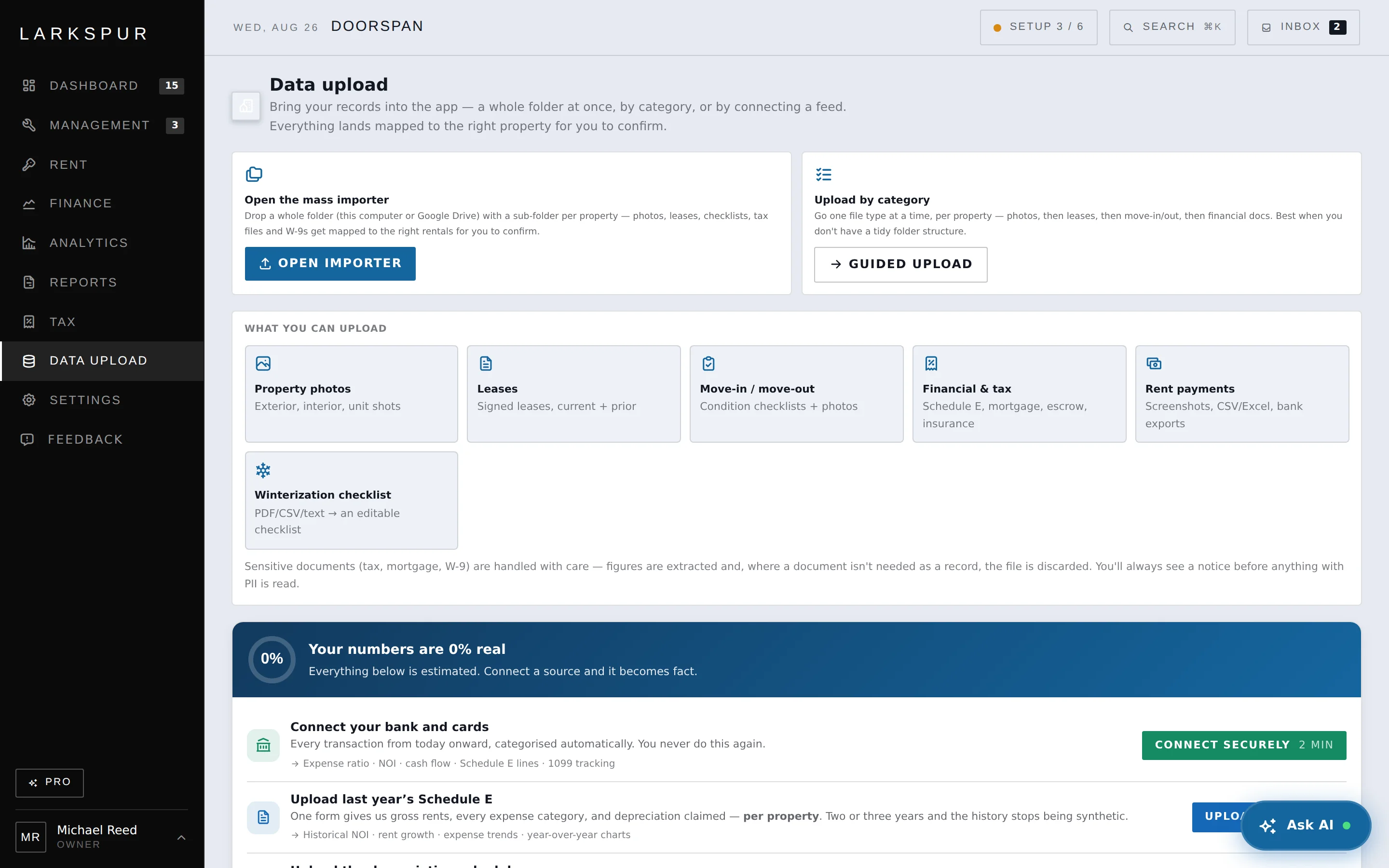
No. Drag in your leases and payment history — even screenshots — and the importer builds your tenants and rent history. You review and confirm.
Property management software for owner-operators. Rent, maintenance, compliance, money and tax on one ledger — and then it reads that ledger back to you.